
Markdown viewer & Quick Look
Open a Markdown file and just read it.
MinimalMD (formerly Minimal.md) opens the .md files you and your AI agents write, and shows them the way they were meant to be read — and it never changes them.

Features
No editor, no sync, no account.
The document rendered natively with the system fonts, in light or dark mode.
Read, don't edit
MinimalMD never writes to your files. Open Markdown from Finder or Open With, or make it your default Markdown app in Settings → General.
Work with your AI agents
Follows the file live while the agent writes it.
Never conflicts with an agent editing the same file.
Quick Look
Select a Markdown file in Finder and press the Space bar to read it rendered, without opening the app.
Private by design
No network connections, no data collected, and remote images are never loaded. It reads only the files you open and the folders you share.
Screenshots
A closer look.
-
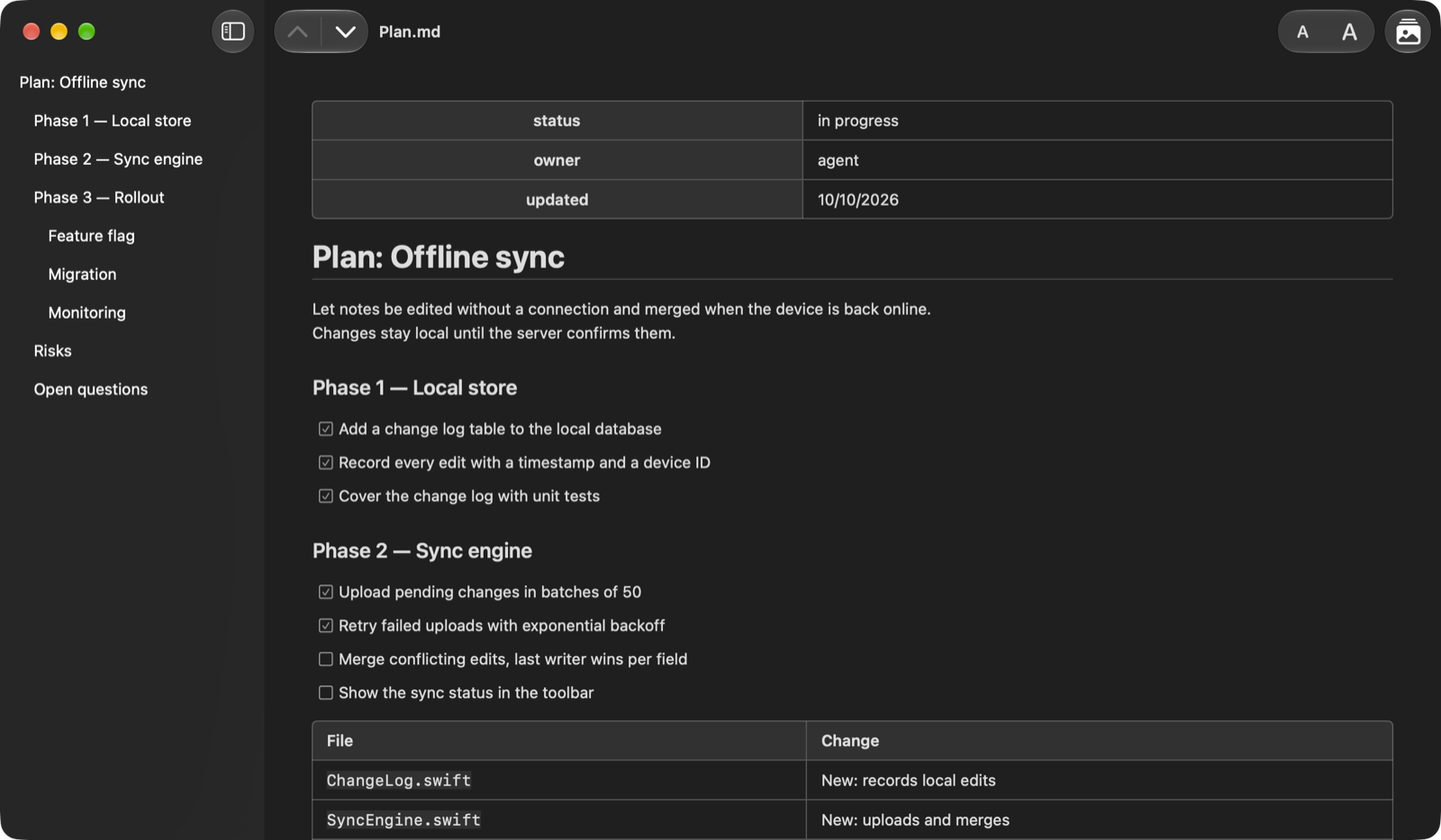
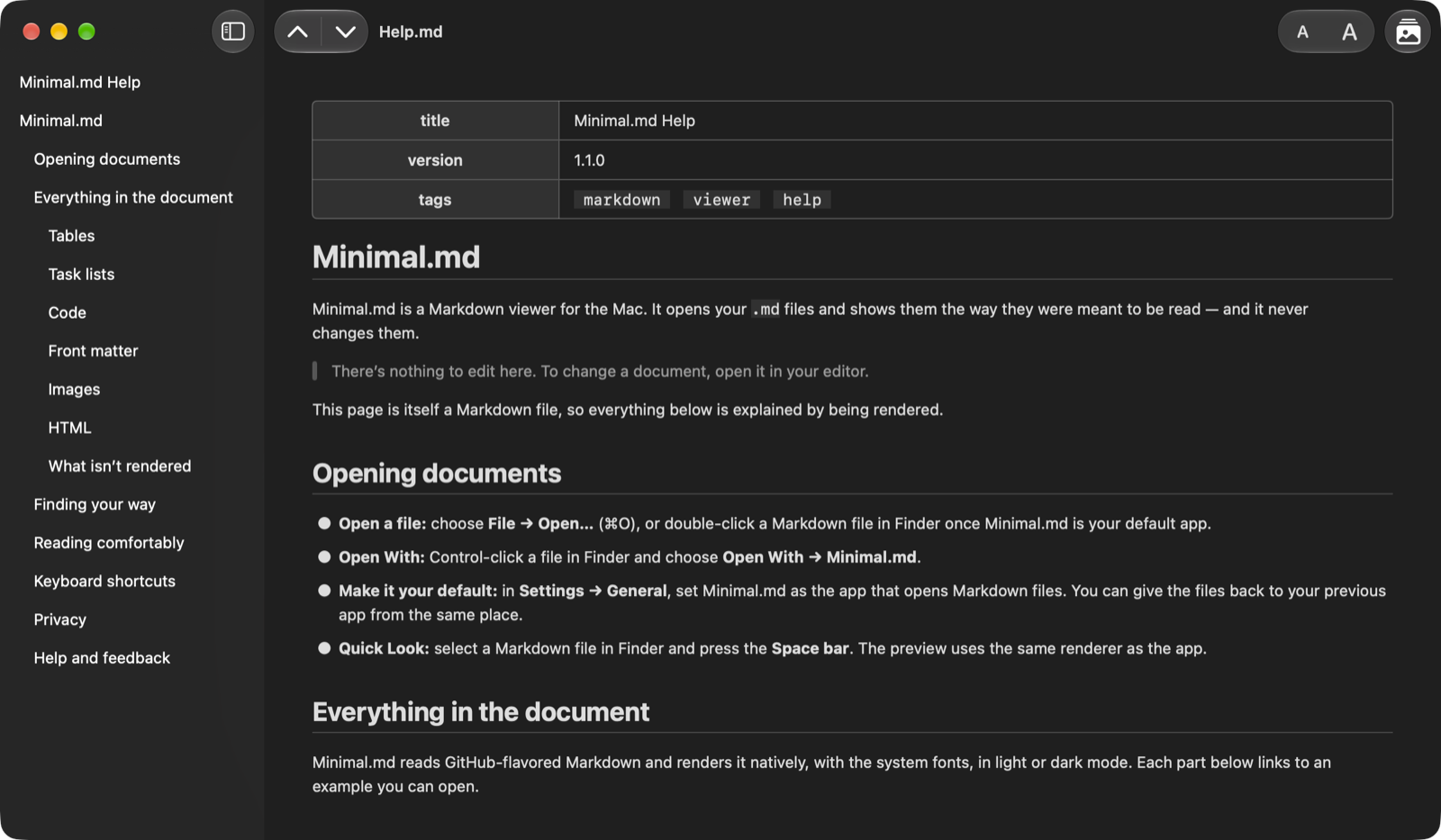
Read along with your AI agent. The window updates with every change and keeps your place. AGENTS.md and other instructions read cleanly, and skills show their YAML front matter as a clear table.
-
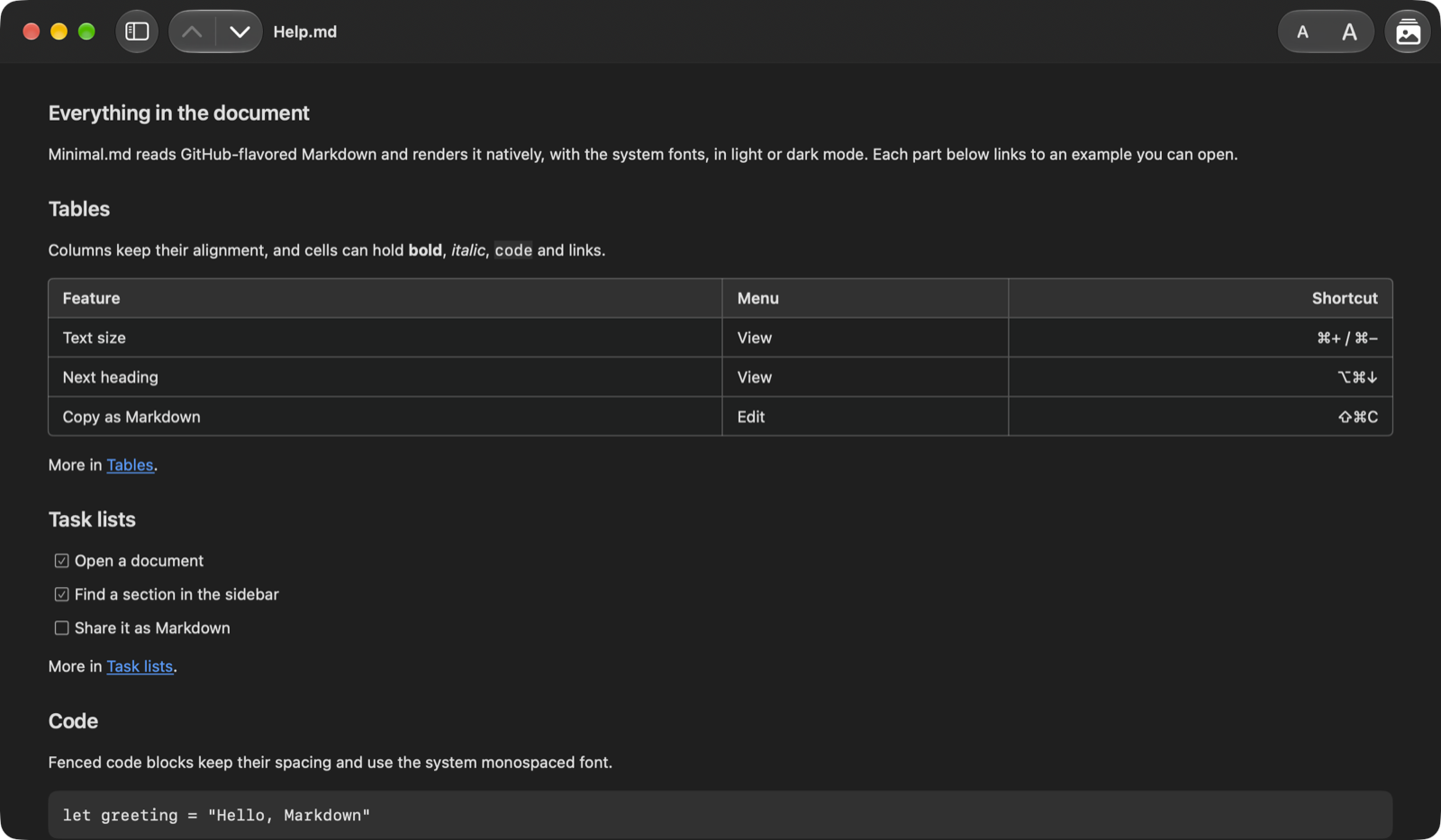
Tables, task lists and code. GitHub-flavored Markdown, rendered natively: tables keep their alignment, task lists show their checkboxes, and fenced code stays monospaced.
-
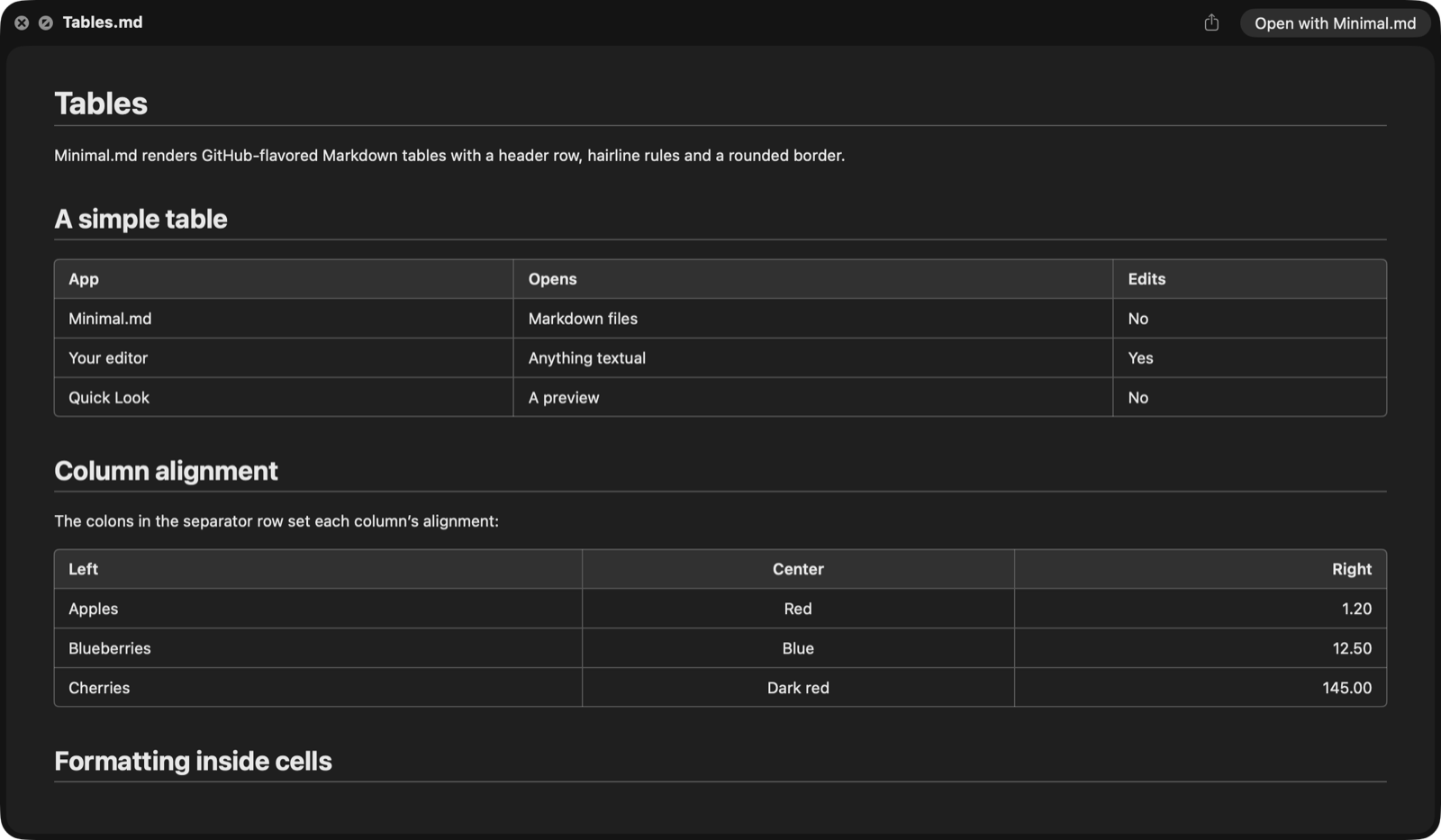
Looks the same in Quick Look. The Finder preview uses the app’s own renderer, so a document reads exactly as it does in MinimalMD.
-
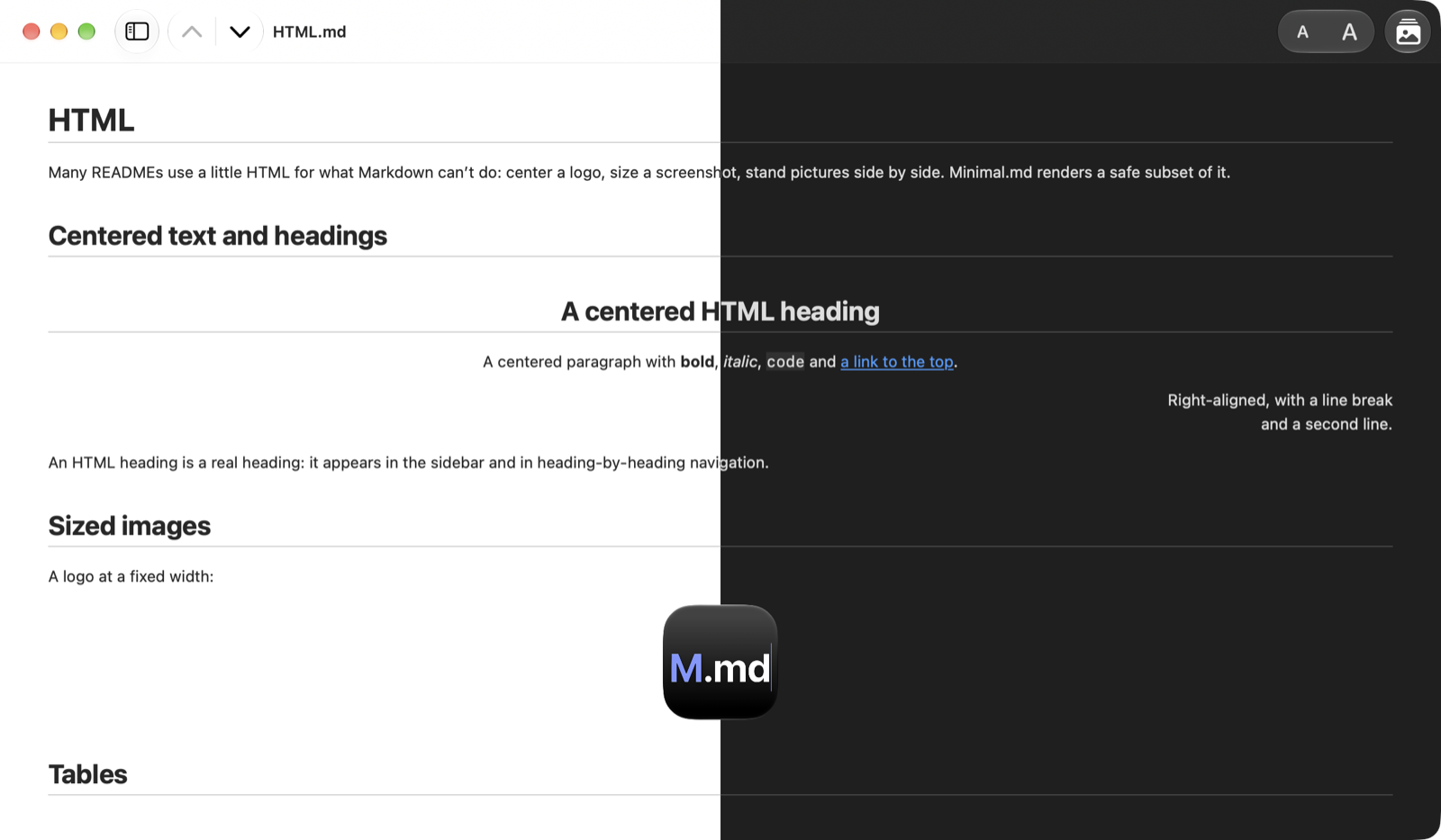
At home in light and dark. Documents follow your Mac’s appearance, with the system fonts and a text size you can adjust.
-
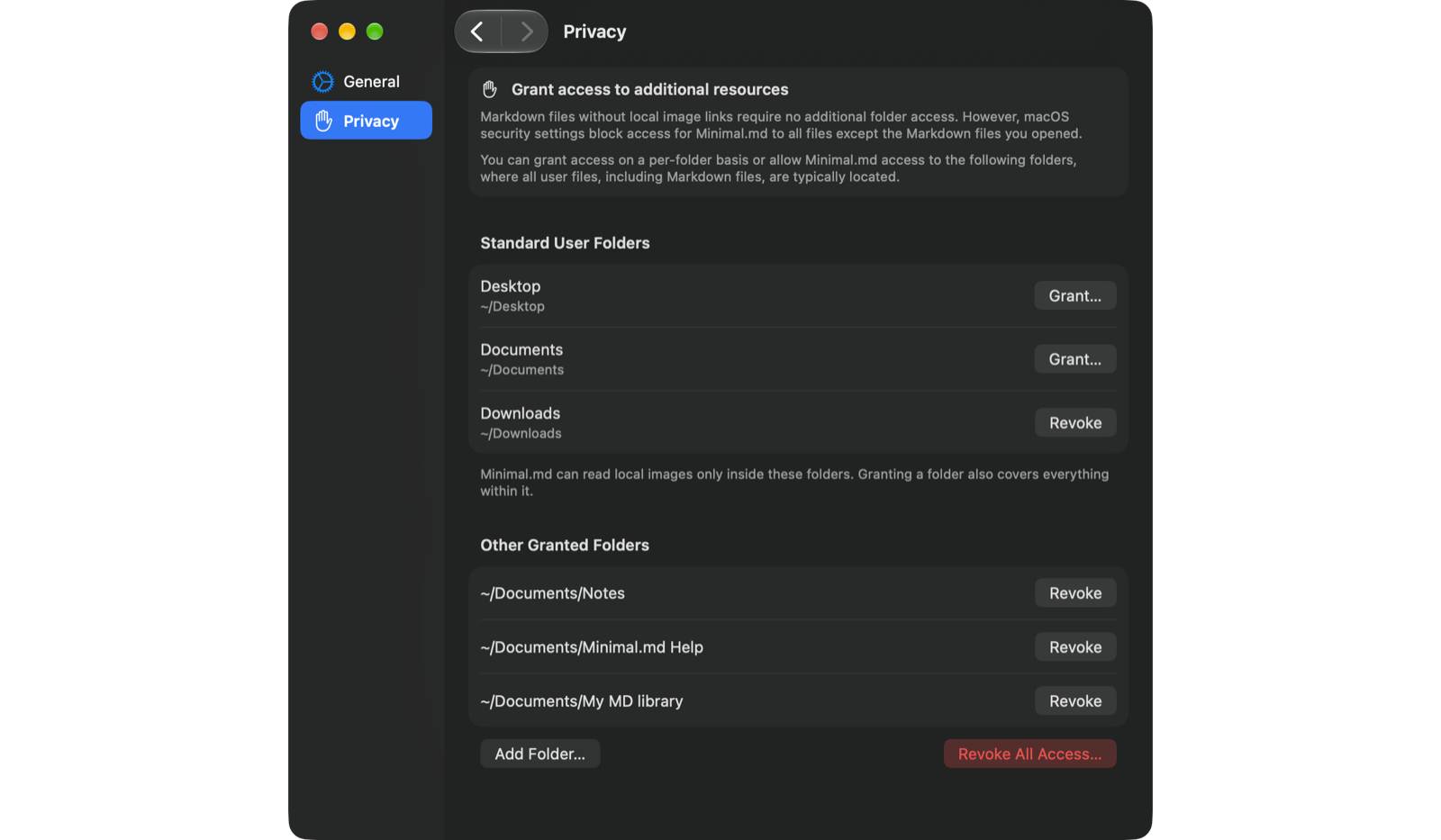
Every shared folder in one place. Settings → Privacy lists each folder you’ve let MinimalMD read. Revoke any one of them, or all at once.
Reading
Made for reading.
Native macOS, with the shortcuts you'd expect.
Table of contents
The sidebar lists the document's headings.
Click one to go there.
⌃⌘S
Heading by heading
Step to the previous or next heading with the toolbar arrows.
Jump to the start or end of the document.
⌘↑ ⌘↓ ⌥⌘↑ ⌥⌘↓
Links that work
A link to a heading scrolls to it.
A link to another Markdown file opens it.
Web links open in your browser.
Comfort
Make the text larger or smaller from the toolbar — every window and Quick Look follow.
Light or dark: MinimalMD follows your Mac's appearance.
⌘+ ⌘− ⌘0
Images
Images stored next to your document appear in place.
Web images are never loaded: you see a placeholder with the image's description, not a gap.
⌥⌘L
Context
Select text for everything macOS offers: Look Up, Translate, Writing Tools and Services.
Need the whole text? Edit → Copy Document as Markdown copies the full source.
⇧⌘C
App Store labels
Privacy and accessibility.
Supported features on Mac
- VoiceOver
- Voice Control
- Dark Interface
- Differentiate Without Color Alone
- Sufficient Contrast
- Reduced Motion
Languages
- English
- French
- German
- Italian
- Russian
- Spanish
Want MinimalMD in your language? Let us know.
What’s new
See what changed in each version in the changelog.
Public beta
Want new builds early? Join the beta.